Run command is the fastest way to open Paint in Windows computer. To launch, the command is ‘mspaint‘ that works in XP, 7, 10 and earlier version. The Microsoft Paint is a useful application that comes along with Windows OS. We can edit varieties of images like jpg, bmp, jpeg, png etc using this tool. Additionally, we can use Print Screen button to capture the screen and saved it via MS Paint. In short, it’s mini photoshop 🙂 for novice users.

Above picture of the Microsoft Paint application has been taken using Print Screen and Paint tool.
I have shared three ways to open Paint on your system.
Follow below steps to open Paint:
Method 1 – Using Run
- Press Windows + R button to open Run box
- Type mspaint and hit Enter
- This will launch Microsoft Paint in front of your screen.

This command is one of the fastest way to launch Microsoft paint on your windows computer.
Method 2 – Using Start button
- Press Start button
- Type Paint and it will show the application name
- Hit enter and it will open Paint application

This tips for those who can’t easily recall the shortcode, thus just type paint on start button and it will show it.
Method 3 – Using Command Line
- Press Windows + R
- Type CMD and hit Enter
- Now, type mspaint and hit Enter
- This will launch the Paint application
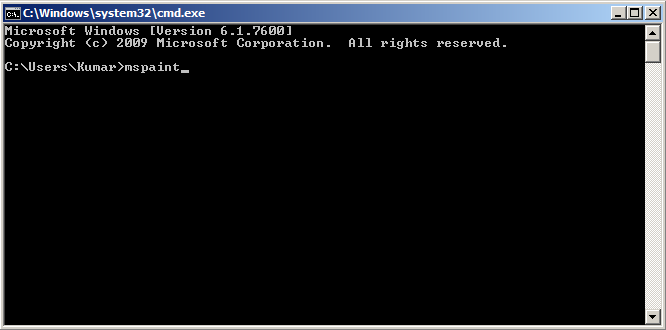
If you want to open any particular image file then you can also do it using command prompt. For example, if the image file name is sample-image.jpf then command will be
C:\>mspaint C:\Users\Kumar\Desktop\Image1.jpg
Using above example, you can open image in Paint.
If you know any other method that can launch MS paint then do let me know by leaving your comment below.
Did you know?
- Microsoft Paint was first released in 1985.
- Formerly it was named as ‘Paintbrush’.
- For 3D models, Microsoft has recently launched ‘Paint 3D’. It is available on Microsoft store for free.