Skip to content

Shortcut

Disk Cleanup using Run Command and 3 Ways for Windows 10, XP

You can launch the Disk Cleanup tool using 4 different ways which are command line, manual and tricks. You can also perform command for instant disk cleanup. This guide will share tips on how you can perform a Disk Cleanup. This will conduct a search on the computer with causing any problems with the other files. Here is how to go about the process.
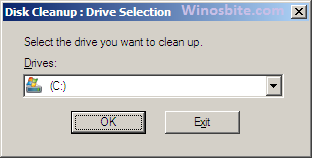
Disk cleanup

Read More »Disk Cleanup using Run Command and 3 Ways for Windows 10, XP

How to Empty Recycle Bin from Command Line

Ever wondered how one can empty the recycle bin using Windows Command line (CMD) ?Majority of the time, we manually clear the recycle bin using right click over it. But, if you want to know more quicker ways or wish to impress your friends ? you certainly wanna dig into to this post (written by my college friend) on how to delete all the files and directories on permanent basis from recycle bin.

command to clear recycle bin

Read More »How to Empty Recycle Bin from Command Line

Open MSconfig using Command Prompt & Other Ways

This MSconfig is useful tool that can be used on Windows OS for start & stop services. You can access it using Run command to personal several tasks which can make your computer faster. The msconfig allows you to alter the windows settings regarding system boot and programs that are launched at startup. A certain set of programs automatically start running when the windows starts. These background programs can significantly affect the startup time and functioning of the system. MsConfig allows you to control these startup programs thereby improving the device startup time and several other functions.

Launch MSconfig via Command and other ways

Read More »Open MSconfig using Command Prompt & Other Ways

ABC of Windows Computer Keyboard Shortcuts Keys

Microsoft has introduced a variety of keyboard shortcuts to navigate between wide-range of features, like virtual desktops, activate the new Cortana digital assistant or anything further.

Why Keyboard Shortcuts?

  • To speed up the work
  • Increase efficiency of work
  • Not to depend on mouse all the time
  • Sometimes peer pressure (maybe)
  • All and all, why not if it helps

Windows Computer keyboard shorcut keys

Read More »ABC of Windows Computer Keyboard Shortcuts Keys

Run Command for MS Word

You can open Microsoft Word application by using Windows+R button and type command winword. This is the fastest and shortcut method to launch Microsoft Word in windows computer. Although there are few other options available to execute this application which I have mentioned below.

Run Command for MS Word

Read More »Run Command for MS Word