Skip to content

KMService.exe – What is it, Use & How to Remove it?

KMService.exe is not an essential part of Windows and the Microsoft official website advises it to remove it since it may be a virus.  Although users said on several platforms that kmservice (kmservice.exe) is used to activate MS office 2010 without having a license, which is illegal.  Executable files are often identified with the extension .exe. Should you notice such files in your computer; then do not ignore them as they can cause damage. All of the information mentioned below will help you identify the genuine files from the Trojan files.

Read More »KMService.exe – What is it, Use & How to Remove it?

5 Ways to Fix Microsoft Error Code 0x80072ee7 in Windows 10

Below, we discuss the reasons and the fixes for error code 0x80072ee7 which will let the Windows Store to connect to the Server.  Numerous users of Windows 10 have reported that the OS is not getting connected online. Every now and then, users encounter diverse update errors and get frustrated. This error could happen due to quite a few reasons.

Read More »5 Ways to Fix Microsoft Error Code 0x80072ee7 in Windows 10

Fix Update Error 0x80072ee2 in Windows 10

The usual cause for the error code 0x80072EE2 on Windows 10 is the update components of the operating system. Users who get this error are unable to update their system. There are several possible factors for the 0x80072EE2 error on windows 10. What are they and what are the ways of fixing them?

Users generally encounter the error 0x80072EE2 whenever Windows 10 can’t get connected to the WSUS. Simply put, this error message shows when Windows 10 doesn’t get a response from the WSUS within a specific time frame

Read More »Fix Update Error 0x80072ee2 in Windows 10

Fix Error Code 0x800cccdd in MS Outlook

Users can enjoy several excellent features of MS Outlook email client. However, oftentimes they encounter the error code 0x800cccdd on Windows operating system. It occurs for users who use IMAP server account. In the event of the 0x800cccdd error, users cannot send and receive emails and cannot access any function. This error flashes whenever users operate the application. This error code also shows when MS Outlook hangs as users try adding a new mail account.

Error code 0x800cccdd in MS Outlook - Fixed

Read More »Fix Error Code 0x800cccdd in MS Outlook

Disk Cleanup using Run Command and 3 Ways for Windows 10, XP

You can launch the Disk Cleanup tool using 4 different ways which are command line, manual and tricks. You can also perform command for instant disk cleanup. This guide will share tips on how you can perform a Disk Cleanup. This will conduct a search on the computer with causing any problems with the other files. Here is how to go about the process.

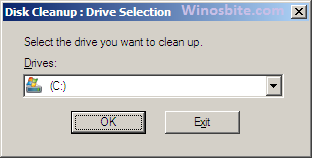
Disk cleanup

Read More »Disk Cleanup using Run Command and 3 Ways for Windows 10, XP

Toolbar missing, How to Turn off Auto-Hide Menu in Excel

It’s really irritating if the menu bar is missing and every time you have to click on top menu to show the tool. I found one easy method to turn off auto-hide menu from the Microsoft Excel.  It will work on mostly all MS Office from 2007, 2010, 2013 and 2016.  If you are the one who use Excel sheet on regular basis and need to use formatting toolbar like Clipboard, Font, Alignment etc then this will surely help you.

Show hidden menu bar in Excel

Read More »Toolbar missing, How to Turn off Auto-Hide Menu in Excel

How to Fix Error Code 0xc0000142 in Windows 10

Majority of the Windows 10 users have seen Error code 0xc0000142, however there are several ways to fix this error.  And when you see the error “Code 0xc0000142” it usually means that you are not able to open any program or particular application on your computer. This can happen because some files from the directory need to be fixed or rectified.  You will see below message on your Windows 10 whenever you encounter this issue:

The application was unable to start correctly (0xc0000142). Click OK to close the application.

Read More »How to Fix Error Code 0xc0000142 in Windows 10

How to Fix Windows 10 Store Error Code 0x803F8001

One of the most common error codes faced by the users of the Windows Operating System is the error code 0x803F8001. A lot of the Windows 8 and 10 users have reported that this error code has occurred when they were trying to download/install the updates in the Windows Store for the apps. With time, a lot of the apps get outdated and they need to be updated to get all the latest features. While trying to do so, the computer has been known to display this message

“Try that again. Something went wrong. The error code is 0x803F8001, in case you need it”

Read More »How to Fix Windows 10 Store Error Code 0x803F8001